Looks like the ApEx folks have an Evaluation Version of ApEx 2.2. Just got my credentials and was able to sign on.
At first glance, you will notice that the Application Builder pages have been given a face-lift:
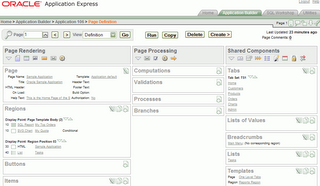
There are also some new icons next to the "Run" icon for Comments, Page Locks, Export the Page, and Search.
Three new Themes have made it into Release 2.2: Blue Gray, Dark Blue, & Modern. I'm a fan of Blue Gray, but could take of leave the other two.
One of my favorite new features has to be the way report columns are re-ordered. Prior to Release 2.2, each time you wanted to move a column up or down, you had to submit the page. Now, thanks to some DHTML, you can easily and quickly move columns up and down. This alone will save me time on my use of the tool.
On that same page, each section has been moved to a DHTML "hide & show" region - no more scrolling to the lower depths of the page to set up CSV export! This approach was also implemented in the Region Attributes section as well.
A feature which I have been doing by hand has also been added. It's call Access Control. According to the New Features feedback page:
"When adding a new page to an applicaiton, APEX 2.2, now offers an Access Control Page option. Selecting this option creates 2 tables in your application schema, a screen to manage those tables, and authorization schemes that check the values of those tables. Together, these wizard-generated pieces allow you to declaratively add access control (authorization schemes) to your application."
There's some more features which I'll try to take a look at and report back on a little later. You can see what these and all of the new features are here. Raj from the ApEx team tells me that there will also be a New Features document shortly.
At first glance, you will notice that the Application Builder pages have been given a face-lift:
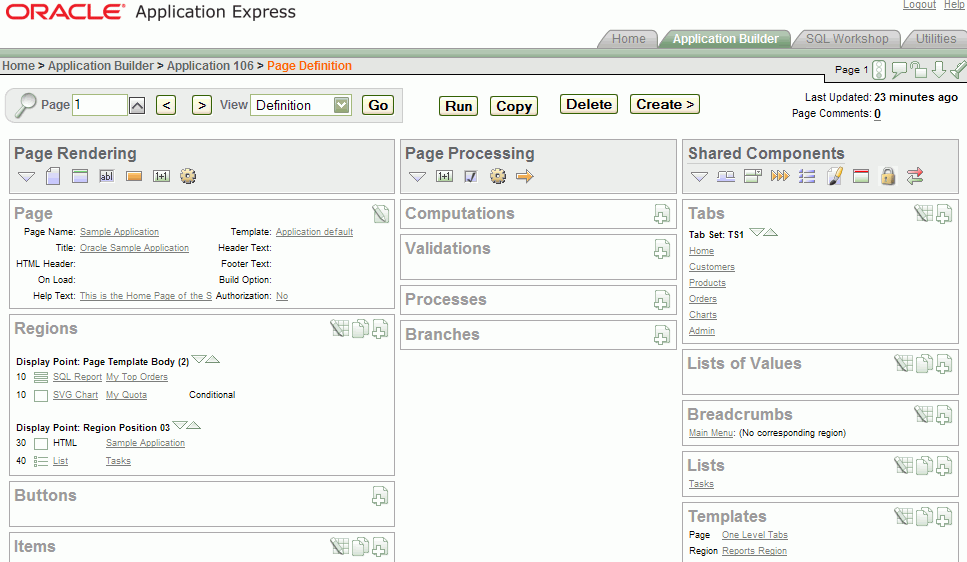
There are also some new icons next to the "Run" icon for Comments, Page Locks, Export the Page, and Search.
Three new Themes have made it into Release 2.2: Blue Gray, Dark Blue, & Modern. I'm a fan of Blue Gray, but could take of leave the other two.
One of my favorite new features has to be the way report columns are re-ordered. Prior to Release 2.2, each time you wanted to move a column up or down, you had to submit the page. Now, thanks to some DHTML, you can easily and quickly move columns up and down. This alone will save me time on my use of the tool.
On that same page, each section has been moved to a DHTML "hide & show" region - no more scrolling to the lower depths of the page to set up CSV export! This approach was also implemented in the Region Attributes section as well.
A feature which I have been doing by hand has also been added. It's call Access Control. According to the New Features feedback page:
"When adding a new page to an applicaiton, APEX 2.2, now offers an Access Control Page option. Selecting this option creates 2 tables in your application schema, a screen to manage those tables, and authorization schemes that check the values of those tables. Together, these wizard-generated pieces allow you to declaratively add access control (authorization schemes) to your application."
Comments
I just requested my APEX 2.2 workspace too. I'll post my findings also on my blog.
Isnt it that one's same credentials for APEX2.0 will also work for APEX 2.2 or one has to request for them specifically?
regards
Aman....
No, you have to specifically request an account on the 2.2 instance here: http://apex.oracle.com/pls/otn/f?p=eval22
- Scott -
The beautiful thing about that page is that as you change the New Line, New Field, Colspan attributes at the top of the page, it instantly shows you a quick preview of how the item layout will look like at the bottom of the page. Sweet!